Introduction
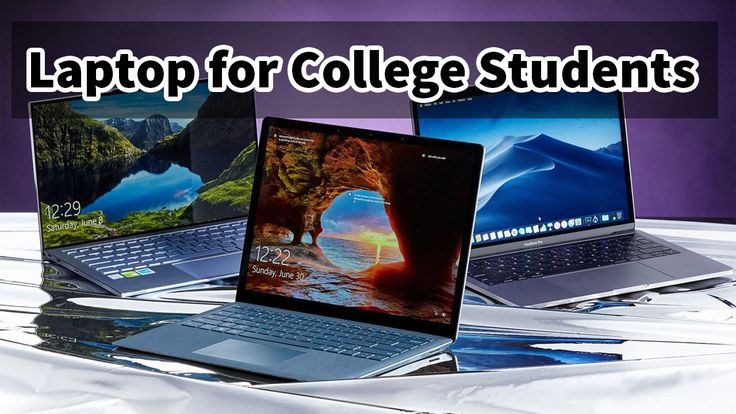
As an IT student in 2026, the right laptop is more than a device — it’s your workshop for coding, simulations, virtual machines, cloud labs, app development, and more. Choosing the right machine means balancing performance, reliability, portability, and price.
This guide helps you pick the best laptops for IT students in 2026 with South African Rand (ZAR) price ranges so you can budget smartly.
What IT Students Should Look for in a Laptop
Before diving into specific models, here’s what matters most:
Processor (CPU)
- Minimum: Intel Core i5 (12th gen+) or AMD Ryzen 5
- Recommended: Intel Core i7/Ryzen 7 or higher
Memory (RAM)
- Minimum: 8 GB
- Recommended: 16 GB+ for multitasking and virtualization
Storage
- Minimum: 256 GB SSD
- Recommended: 512 GB SSD or higher
Graphics (GPU)
- Dedicated GPU helpful for AI and graphics tasks, but not mandatory for basic development.
Top Laptops for IT Students in 2026
🏆 1. Apple MacBook Air (M3, 2026)
Price: R22 000 – R32 000
Why It’s Great:
- M3 chip delivers exceptional performance and battery life
- Lightweight and built to last
- Excellent for coding, web development, and design
Best For: Software development, cross‑platform workflows
💻 2. Dell XPS 15 (2026)
Price: R29 000 – R40 000
Why It’s Great:
- Powerful Intel Core i7
- Large high‑res display
- Premium build quality and performance
Best For: Heavy coding, virtualization, cloud labs
🧠 3. Lenovo ThinkPad T14 Gen 4
Price: R24 000 – R35 000
Why It’s Great:
- Excellent keyboard for writing code
- Durable chassis
- Strong performance with security features
Best For: Networking, enterprise systems, security labs
⚙️ 4. HP Pavilion 16 (Ryzen 7)
Price: R18 000 – R27 000
Why It’s Great:
- Great value for performance
- Strong multitasking
- Good display and thermals
Best For: Students on a mid‑range budget
📊 5. ASUS ROG Zephyrus G14
Price: R32 000 – R50 000
Why It’s Great:
- High‑end CPU + GPU combo
- Excellent for AI, simulations, graphics
- Fantastic performance across workloads
Best For: AI projects, game dev, heavy multitasking
💡 6. Acer Swift Go 14
Price: R16 000 – R25 000
Why It’s Great:
- Lightweight and portable
- Good all‑around performance
- Solid battery life
Best For: Everyday coding and web dev
Budget Picks for IT Students
Not everyone needs a high‑end machine early on. These budget laptops still handle development and classroom tasks.
🏷️ 7. Acer Aspire 5 (Ryzen 5)
Price: R12 000 – R18 000
Why It’s Great:
- Excellent value for basic coding and general use
- SSD + decent performance
Best For: Beginners or students on a budget
💻 8. Lenovo IdeaPad 3
Price: R10 000 – R16 000
Why It’s Great:
- Solid entry‑level laptop
- Handles Python, Java, web dev, SQL
Best For: Starter machine or backup laptop
Laptop Comparison Table (With Price)
| Model | CPU | RAM | Storage | Best For | Price (ZAR) |
|---|---|---|---|---|---|
| MacBook Air M3 | M3 | 16 GB | 512 GB | App Dev & Design | R22 000–R32 000 |
| Dell XPS 15 | i7 | 16 GB | 1 TB | Heavy Coding | R29 000–R40 000 |
| Lenovo T14 Gen 4 | i7 | 16 GB | 512 GB | Networking & Security | R24 000–R35 000 |
| HP Pavilion 16 | Ryzen 7 | 16 GB | 512 GB | Mid‑Range | R18 000–R27 000 |
| ASUS Zephyrus G14 | Ryzen 9 + GPU | 32 GB | 1 TB | AI & Graphics | R32 000–R50 000 |
| Acer Swift Go 14 | i5 | 8–16 GB | 512 GB | Everyday Dev | R16 000–R25 000 |
| Acer Aspire 5 | Ryzen 5 | 8 GB | 512 GB | Budget Coding | R12 000–R18 000 |
| Lenovo IdeaPad 3 | i5 | 8 GB | 256 GB | Entry‑Level | R10 000–R16 000 |
Tips for IT Students When Buying a Laptop
1. Think Long Term
A laptop you buy in your first year should last through graduation and early career.
2. Check Software Compatibility
Make sure it can run:
- VirtualBox/VMware
- Docker
- IDEs (VS Code, IntelliJ, PyCharm)
- Linux (dual boot or VM)
3. Go for SSD Over HDD
SSDs are faster, more reliable, and crucial for development work.
4. Prioritize RAM
For coding, virtualization, and multiple tools open, 16 GB RAM is ideal.
Frequently Asked Questions
Do IT students need powerful graphics cards?
Not for basic coding. But for AI projects or simulations, a dedicated GPU is helpful.
Is macOS good for development?
Yes—macOS supports most development tools and virtual environments seamlessly.
What’s the minimum laptop I should buy for IT school?
A laptop with 8 GB RAM, SSD storage, and a mid‑range CPU should be your starting point.
Conclusion
Choosing the right laptop as an IT student sets you up for success — from coding to virtualization, networking labs to cloud computing. Whether you’re on a budget or ready to invest in powerful performance, this guide covers the best laptops for IT students in 2026 with realistic price ranges in South African Rands (ZAR).
💻 Ready to choose your next laptop? Explore models, reviews, and deals at Mongalo Tech Africa.